What Is an API? A Plain-English Explanation
Every day, your phone checks the weather, your map app finds the fastest route, and a website lets you sign in with your Google account. Behind each of those small conveniences sits the same piece of technology, and this guide answers the question at the heart of it: what is an API? The short answer is that an API is a set of rules that lets one piece of software ask another piece of software for something, and get a clear answer back. If you have ever wondered what is an API while using an app, the answer is simpler than the jargon suggests. The longer answer is worth knowing, because once you understand the idea, you start seeing it everywhere.
API stands for Application Programming Interface. That sounds technical, and it is a technical term, but the idea itself is simple. An API is a menu and a waiter combined: it tells other programs what they can ask for, and it carries the request to the kitchen and brings the answer back. You do not need to write code to understand it, and by the end of this guide you will know what is an API in plain English, how one works, and why almost every app you use depends on them.
What Is an API in Simple Terms
What is an API in the simplest possible terms? It is an agreed way for two programs to talk to each other. One program offers a service or some data, and it publishes a list of things other programs are allowed to ask for, along with the exact format those requests must take. Another program reads that list and sends a request in the agreed format. The first program answers, usually with the data that was asked for, and both sides know what to expect because the rules were written down in advance.
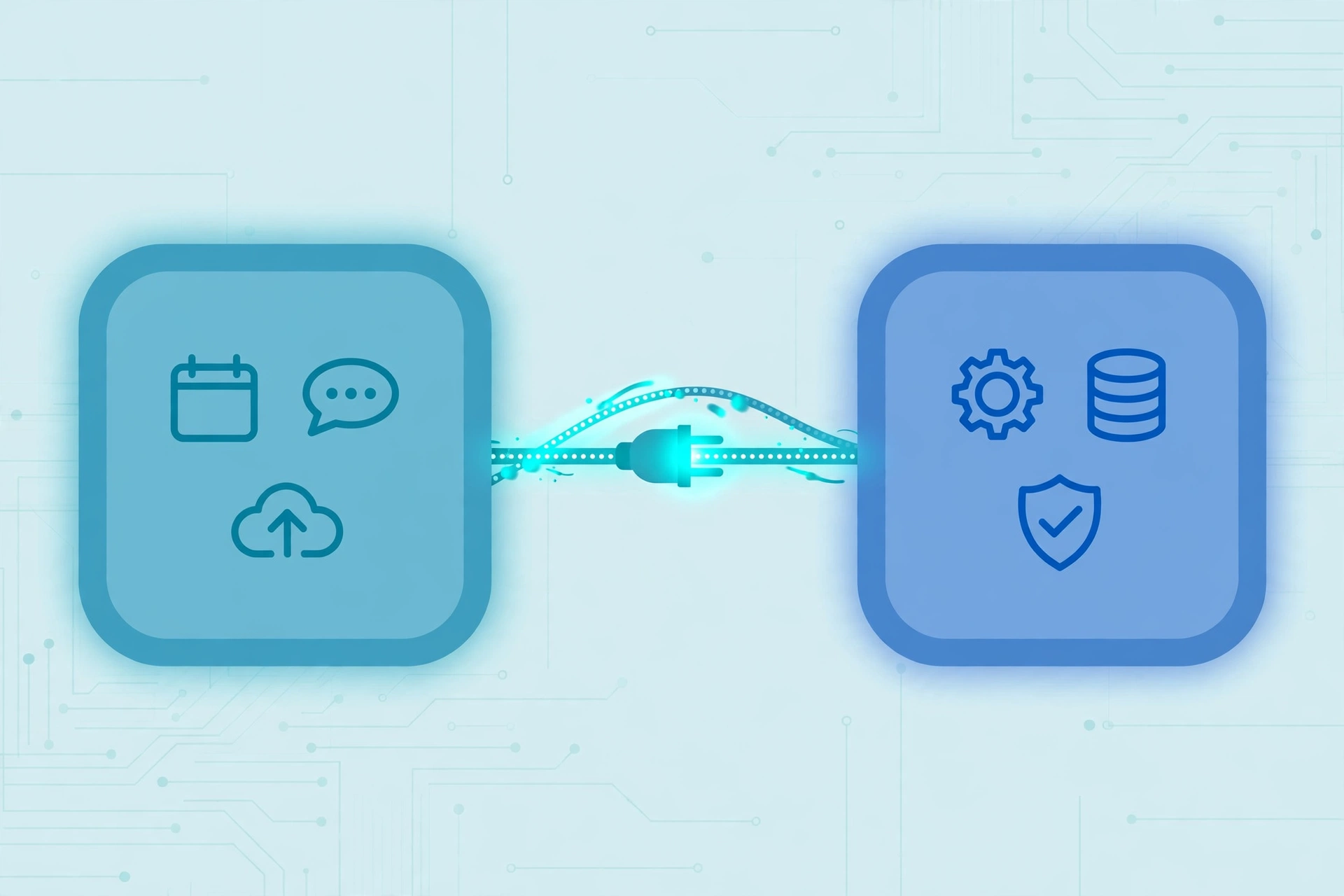
Think of it as a contract between two pieces of software. The contract says: here is what you can ask for, here is how you must ask, and here is what you will get back. Neither side needs to know how the other works inside. A weather app does not need to understand how a weather service collects its forecasts; it only needs to know how to ask for the forecast for a place and how to read the answer. That separation is the whole point. Each side can change its inner workings as long as it keeps the agreed interface the same.
This is also why the word “interface” is in the name. An interface is a boundary where two things meet. The steering wheel and pedals are the interface of a car: you do not need to understand the engine to drive. In the same way, an API is the boundary where one program meets another, and it hides all the complicated machinery behind a simple set of requests.
The Restaurant Analogy
The most common way to explain an API is the restaurant analogy, and it works because it maps neatly onto the real thing. Imagine you sit down in a restaurant. You do not walk into the kitchen, find the ingredients, and cook the meal yourself. Instead, you look at the menu, which tells you what you can order and how each dish is described. You tell the waiter what you want. The waiter carries your order to the kitchen, the kitchen prepares it, and the waiter brings the finished dish back to your table.
In this picture, you are the program making the request. The menu is the API’s documentation: the list of everything you are allowed to ask for and how to ask for it. The waiter is the API itself, carrying requests one way and answers the other. The kitchen is the system that holds the data or does the work, and you never need to see inside it. If the restaurant changes its kitchen equipment or hires new cooks, your experience does not change as long as the menu and the waiter work the same way.
The analogy also explains why APIs matter so much. Without the waiter, every customer would need to know how the kitchen works. Without an API, every program that wanted weather data would need to understand the weather service’s inner systems. The waiter keeps things simple, consistent, and safe, and that is exactly what an API does for software.
How an API Actually Works
So what is an API doing, step by step, when a program uses one? The process follows the same pattern almost every time, and it has four parts.
First, the program sends a request. A request is a message that says what the program wants, and it is sent to a specific address called an endpoint. An endpoint is like a counter in a shop: each one handles a particular kind of request. One endpoint might give you the current weather for a city, while another gives you the forecast for the next five days. The request also says what format the answer should take, and for web APIs the answer is very often sent as JSON, a plain-text format that is easy for programs to read.
Second, the service that owns the API receives the request and checks it. It confirms that the request is properly formed and that the sender is allowed to ask. This is where authentication comes in: many APIs ask for an API key, a secret code that identifies who is calling, so the service knows who to bill or how much use to allow.
Third, the service does the work. It looks up the data, runs the calculation, or performs the action that was requested. This part is hidden from the caller, just as the kitchen is hidden from the diner.
Fourth, the service sends a response back. The response usually contains the data that was asked for, or a message saying whether the action worked. If something went wrong, the response says so in a standard way, with a status code that tells the caller what happened: a missing item, a bad request, or a server problem. Because both sides agreed on the format in advance, the calling program can read the response and use it immediately. That agreement is what is an API at its core: a shared format for requests and answers.
What Is an API Key?
An API key is a code that identifies the program making the request, and it is one of the most common parts of using an API. When a service offers an API, it usually gives each user or application a unique key, a long string of letters and numbers. The calling program includes that key with every request, and the service checks it before answering. A key is also part of the answer to what is an API for developers: it is how a service knows who is calling.
Keys serve three purposes. They identify who is calling, so the service knows which account to associate the use with. They control access, so the service can offer different levels of use: a free tier with a small number of requests, and paid tiers with more. And they protect the service, because a key can be switched off if it is stolen or abused, without changing the API itself.
If you ever build something that uses an API, treat your key like a password. It should never be published in public code or shared in screenshots, because anyone with the key can use your allowance or pretend to be you. If a key leaks, the service usually lets you generate a fresh one and disable the old one.
What Is a REST API?
Most web APIs you hear about are REST APIs, so the term is worth understanding. REST stands for Representational State Transfer, and it is a style of building APIs that use the ordinary rules of the web. A REST API works over HTTP, the same system your browser uses to load pages, and it uses the familiar verbs of the web: GET to read something, POST to create something, PUT or PATCH to change it, and DELETE to remove it.
Each thing a REST API offers has its own web address. For example, a weather API might offer an address for the current conditions in a city and a different address for the forecast. The calling program sends a GET request to the address it needs and receives the data back. Because REST uses the web’s own conventions, it is simple to understand and works with almost any programming language, which is why it became the most common way to build web APIs. This is why, when developers ask what is an API in the context of the web, the answer is almost always a REST API.
Not every API is a REST API. Some use other styles, such as GraphQL, where the caller describes exactly the data it wants in a single request, or older styles that send messages in a stricter format. For a general reader, though, the important thing is that REST is the everyday standard, and when people talk about a web API, they usually mean a REST API.
Everyday Examples of APIs
Once you understand what is an API, you will notice APIs in almost everything you do online. A weather app is one of the clearest examples: the app itself does not measure the temperature. It asks a weather service’s API for the forecast for your location, and the service sends the numbers back. The app then draws the icons and the temperature on your screen. The same app can switch to a different weather service without changing how it looks, because the API is the only part that talks to the service.
Maps work the same way. When you search for a coffee shop, the map app sends your search to a mapping API, which returns the matching places and their locations. When you ask for directions, another request goes to a routing API, which calculates the route and sends it back. The app draws the map, but the data comes through APIs.
Signing in with Google is another everyday example. When a website offers a “Sign in with Google” button, it is asking Google’s API to confirm who you are. Google checks your login and tells the website that you are who you claim to be, without ever handing the website your password. The website trusts Google’s answer because the two sides agreed on how the exchange works.
Even apps that seem to hold everything on your phone use APIs. When you open a language learning app, it fetches your lessons, your progress, and your streak from a server through an API, which is why your progress is still there when you switch phones. Our guide to the best language learning apps looks at apps that work this way, keeping your learning synced across devices through the services behind them.
Payments are another example. When you pay on a website, the site does not handle your card details directly. It sends the payment to a payment service’s API, which processes the charge and returns a simple answer: paid or not paid. The website never sees your card number, which is safer for everyone.
APIs You Use Without Noticing
Some APIs work so quietly that you never know they are there. When you share a link in a message and a little preview card appears with a title and an image, an API fetched that preview. When a news site embeds a live feed of stock prices or sports scores, an API delivers the numbers. When you log into a smart device app and see the temperature in your home, an API carried the reading from the device to your phone.
Your browser itself is full of APIs. The web platform gives websites a set of built-in tools, called web APIs, that let a page ask the browser for things: your location, permission to send notifications, access to the camera, or a way to store data on your device. Developers can read the full list in MDN’s reference to Web APIs, which documents the tools browsers make available to web pages.
The point is that understanding what is an API shows you that APIs are not a niche developer topic. They are the plumbing of the modern internet, and almost every tap, swipe, and click you make depends on at least one of them.
Why Companies Offer APIs
If APIs are so useful, why do companies give other programs access to their data in the first place? There are a few good reasons. The first is reach: an API lets a company’s service appear inside other people’s products. A mapping company that offers an API ends up inside delivery apps, travel sites, and fitness trackers, reaching far more people than its own app ever could.
The second reason is focus. A small team can build one good service and let others build on top of it, instead of every company rebuilding the same thing. A startup that wants to accept payments does not need to become a payments company; it uses a payment API and spends its time on its own product.
The third reason is money. Many APIs are paid products: the more requests a customer makes, the more they pay. From the company’s side, what is an API is a product in itself: it turns data or a capability into something other businesses can use and pay for. Others are free for small use and paid for heavy use, which lets developers try them out and grow into paying customers. Either way, the API turns a company’s data or capability into something other businesses can buy.
APIs vs SDKs: What Is the Difference?
People often confuse APIs with SDKs, so it is worth drawing the line. An API is the set of rules for talking to a service. An SDK, or software development kit, is a toolbox that helps a developer use an API: ready-made code, example programs, and documentation, all packaged for a particular programming language.
The difference is practical. If you remember one thing, it is this: what is an API is the agreement, and the SDK is the toolbox that helps you use it. You can use an API directly by sending it requests in the agreed format. An SDK does that work for you, wrapping the requests in convenient functions so you write less code. If the API is the menu and the waiter, the SDK is a phrasebook that helps you order in the local language. Many services offer both, and developers usually start with the SDK and learn the API underneath it as they go.
Is Using an API Safe?
For an ordinary user, APIs are generally safe, and in many ways they are safer than the alternatives. For a reader, the question is not really what is an API but whether the connection it makes is safe, and the answer is generally yes. When you sign in with Google, the website never sees your password, which is safer than typing your password into every site you use. When you pay through a payment API, the shop never sees your card number. The API sits in the middle and shares only what is needed.
There are risks, and they mostly sit on the developer’s side. A badly protected API can leak data if it does not check who is asking, which is why API keys and login checks matter. A service that depends on someone else’s API can break if that API changes or goes down, which is why good services plan for failures. And an API that returns more data than the caller needs can expose information that should have stayed private. These are real concerns, but they are the reasons APIs are built with rules and limits, not reasons to avoid them.
For a reader, the practical lesson is simple: when a website or app asks to connect to another service, check what it is asking to access. A weather app asking for your location makes sense. A game asking to read your emails does not. The permission screen is the API’s way of showing you the deal before you accept it.
Frequently Asked Questions About What Is an API
What is an API in simple words?
An API is a set of rules that lets one program ask another program for data or an action, in an agreed format. One side makes a request, the other side answers, and neither side needs to know how the other works inside. That is what is an API in one sentence.
What is an API example?
A weather app asking a weather service for the forecast is a classic example. The app sends a request to the weather service’s API, the service sends back the forecast, and the app displays it. Maps, sign-in buttons, and payment checkouts all work the same way.
Do I need an API key to use an API?
It depends on the API. Public APIs that share open data sometimes need no key at all, while most commercial APIs ask for a key so they can identify who is calling and limit how much each caller can use. If you build something with an API, keep your key private, like a password. Controlling access this way is part of what is an API in practice: the service decides who may call and how much they may use.
What is the difference between an API and a website?
A website is built for people: it shows pages you can read and click. An API is built for programs: it returns data in a format that software can read and use. Many services offer both, and the website itself often uses the same API behind the scenes to load its own content.
Is an API the same as a database?
No. A database stores data. An API is the controlled way to ask for that data or to do something with it. An API often reads from a database, but it adds rules, checks, and limits that a raw database does not have. Knowing what is an API also means knowing what it is not: it is the messenger, not the storehouse.
Can anyone create an API?
Yes. Any developer can build an API for their own service, and many do. Large companies publish APIs for their products, and small projects often add a simple API so other tools can connect to them. The hard part is not creating one, but keeping it stable and documented so others can rely on it.
The next time a weather app shows the forecast, a map finds your route, or a site lets you sign in with one click, you will know what made it possible. What is an API, in the end, is not a complicated question: it is an agreement between two programs, written down so both sides know what to expect, carried out by requests and answers. That agreement is what lets thousands of separate services work together as if they were one, and it is why the modern internet feels seamless even though it is built from countless independent pieces.